

Installing the Nomadic SDK
This guide covers the installation and basic configuration of the Nomadic Python SDK.Prerequisites
- Python 3.8–3.11
- pip (Python package installer)
Ensure that you have the latest up to date version to avoid potential issues during installation.
Installation Steps
1. Standard Installation
Install the SDK directly from PyPI:2. Obtain your API Key
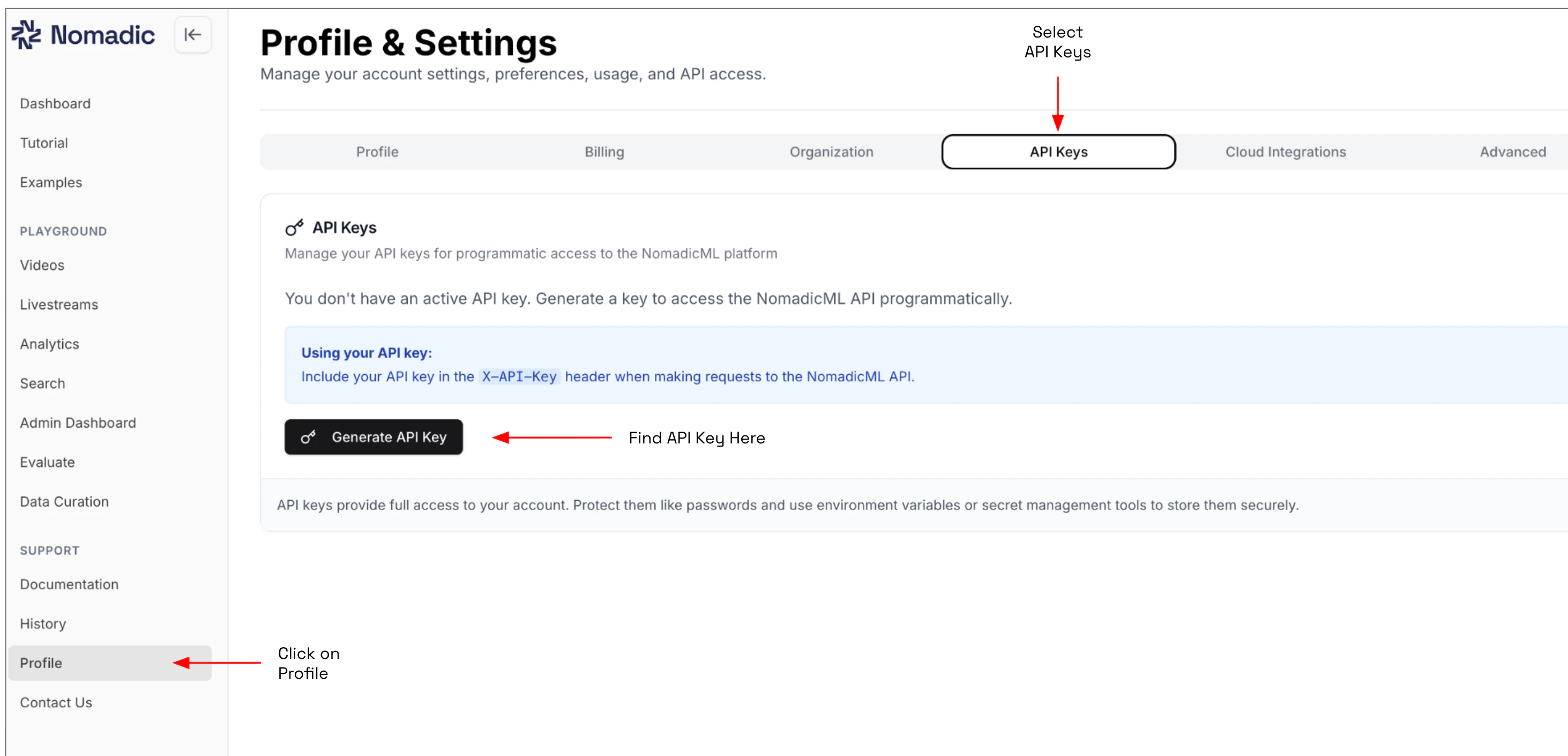
Get your API key first. Log in to app.nomadicml.com. Go to Profile → API Keys, and click Generate New Key.The full key is shown only once — copy it immediately.
3. Basic Configuration
Once you have the SDK installed and your API key, you can initialize the client:If you are running a self-hosted VPC deployment of Nomadic, set
collection_name to the Firestore collection provided by your Nomadic admin. If you are using the standard cloud version of Nomadic, leave collection_name out.4. Verifying Installation
To verify that everything is set up correctly:Troubleshooting
AuthenticationError: Invalid API key
If your API key is missing, incorrect, or expired, double-check that:
- You copied the full key (it’s only shown once at generation)
- The key hasn’t expired — check the expiry date in Profile → API Keys
- Your environment variable is set correctly:
echo $NOMADICAI_API_KEY
pip install --upgrade nomadic.
Next Steps
Now that you have the SDK installed and configured, you can:Self-Hosted VPC Setup
Deploy and manage Nomadic within your own Virtual Private Cloud.
Quickstart Guide
Get started quickly with the Nomadic tool.